Software to add effects to your webcam output
Software to add effects to your webcam output
Vote (10 votes)
Program license Trial version
Developer GorMedia,Inc.
Version 1.5
Works under Windows
Vote
(10 votes)
Developer
GorMedia,Inc.
Works under
Windows
Program license
Trial version
Version
1.5
Pros
- Enables multiple applications to share a single webcam with no conflict
- Applies dynamic, real-time effects to both local and remote video streams
- Streams prerecorded videos or images as webcam sources
- No unnecessary virtual webcam installations for existing devices
- Supports a wide range of instant messaging applications
- Optional group photo capture with remote contacts
Cons
- Optimal support limited to Windows XP and Windows 7
- Interface design may feel dated compared to newer software
- Advanced effect features may require additional setup for compatibility
Add real-time effects, split webcam streams, and support group chats
Overview of GorMedia, Inc.
GorMedia, Inc. delivers an innovative approach to webcam management for users who engage in video chatting or conferencing on Windows. Unlike programs that rely heavily on installing additional virtual devices, GorMedia's solution optimizes webcam usage by enabling multiple software platforms to access a single webcam without hardware conflicts or occupation issues.
Direct Hardware Splitting and Access
A standout feature is the direct splitting of camera streams at the hardware level. This means multiple applications—such as Skype, MSN, Yahoo Messenger, or ICQ—can access real-time video from the same webcam simultaneously, eliminating the need for virtual webcam interfaces that tend to create device conflicts. For users frustrated by video input being monopolized and unable to chat across platforms at once, this offers a smoother workflow and improved device management.
Webcam Effects and Fun Features
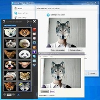
The application provides a variety of fun video effects, frames, motion tracking, and face detection tools that can be added directly to video streams. An interesting addition is the capability to include Skype friends’ live video feeds in the effects, expanding the creativity and interactivity of online calls. Users can also take group photos with remote contacts, enhancing the social experience of video chatting far beyond single-user filters.
Versatile Streaming Capabilities
Beyond applying effects, the software allows streaming of video or image files through the webcam interface. This is beneficial for presentations, demonstrations, or when simulating a webcam with prerecorded material—handy for users who may not own a hardware webcam but still wish to participate in video chats.
Compatibility and Driver Integration
GorMedia supports a wide range of instant messaging and video calling applications. Its custom driver, which boasts WHQL certification for Windows XP and Windows 7, ensures broad compatibility and stability. The tool claims support for both 32-bit and 64-bit versions of these operating systems. For webcams lacking certain features, such as still pin support, the software offers compensatory capabilities to enhance device functionality.
User Experience and System Requirements
The program is designed for plug-and-play simplicity, with a straightforward setup process and a user-friendly interface. Its system footprint is light, and users do not need to adjust complex settings to switch between direct camera access and effect overlays. However, the focus on older Windows platforms may present limitations for those on more current versions, and some modern webcams may require additional driver consideration.
Pros
- Enables multiple applications to share a single webcam with no conflict
- Applies dynamic, real-time effects to both local and remote video streams
- Streams prerecorded videos or images as webcam sources
- No unnecessary virtual webcam installations for existing devices
- Supports a wide range of instant messaging applications
- Optional group photo capture with remote contacts
Cons
- Optimal support limited to Windows XP and Windows 7
- Interface design may feel dated compared to newer software
- Advanced effect features may require additional setup for compatibility